How to set iPhone Obsidian shortcut
-
Download the Shortcut: https://www.icloud.com/shortcuts/fd86897d7f7446ebbac21acb79c49cee
-
Replace the text inside the red box with the folder path where you want to save your notes.
- Press and hold the folder, then in the popup choose
Copy path. If you selectfrom vault folder, it will copy the path for you. 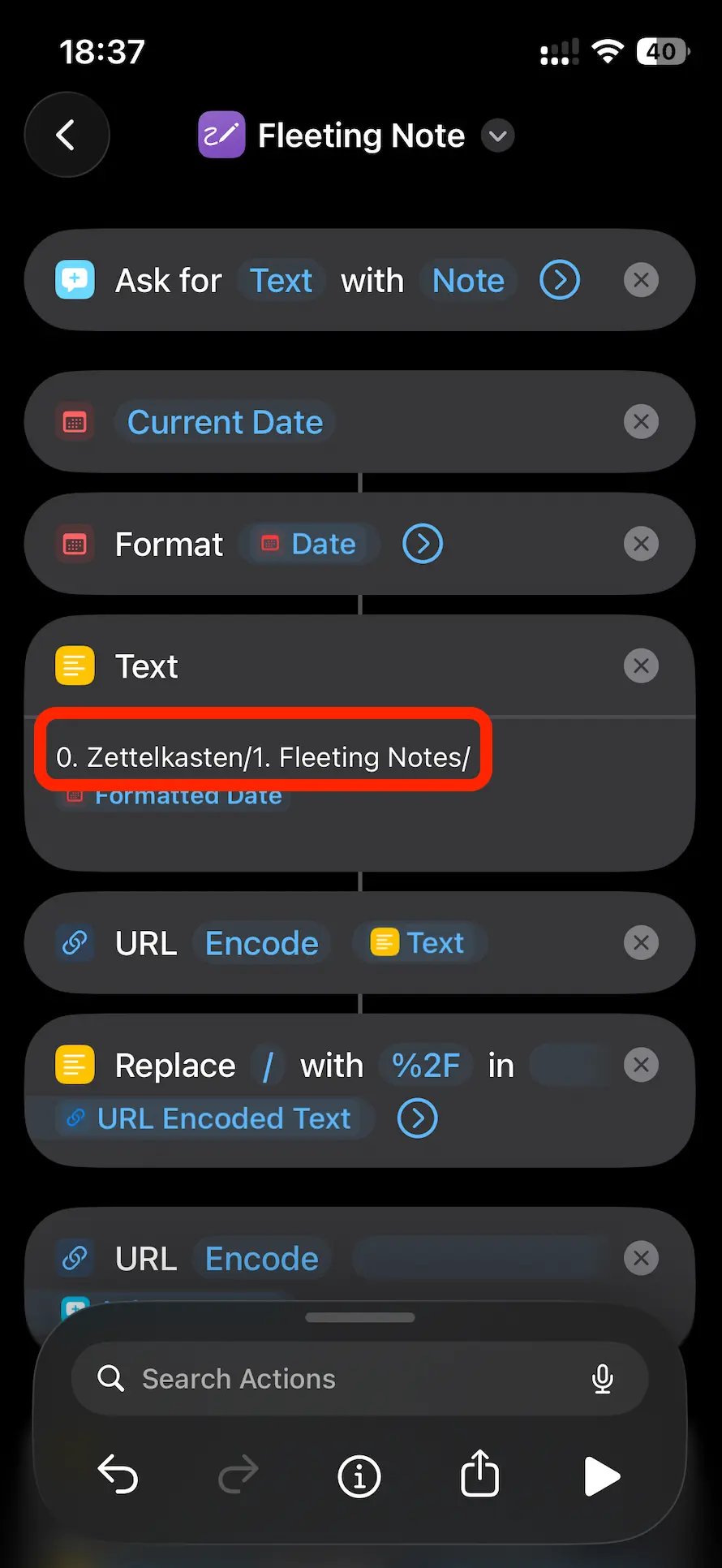
- Press and hold the folder, then in the popup choose
-
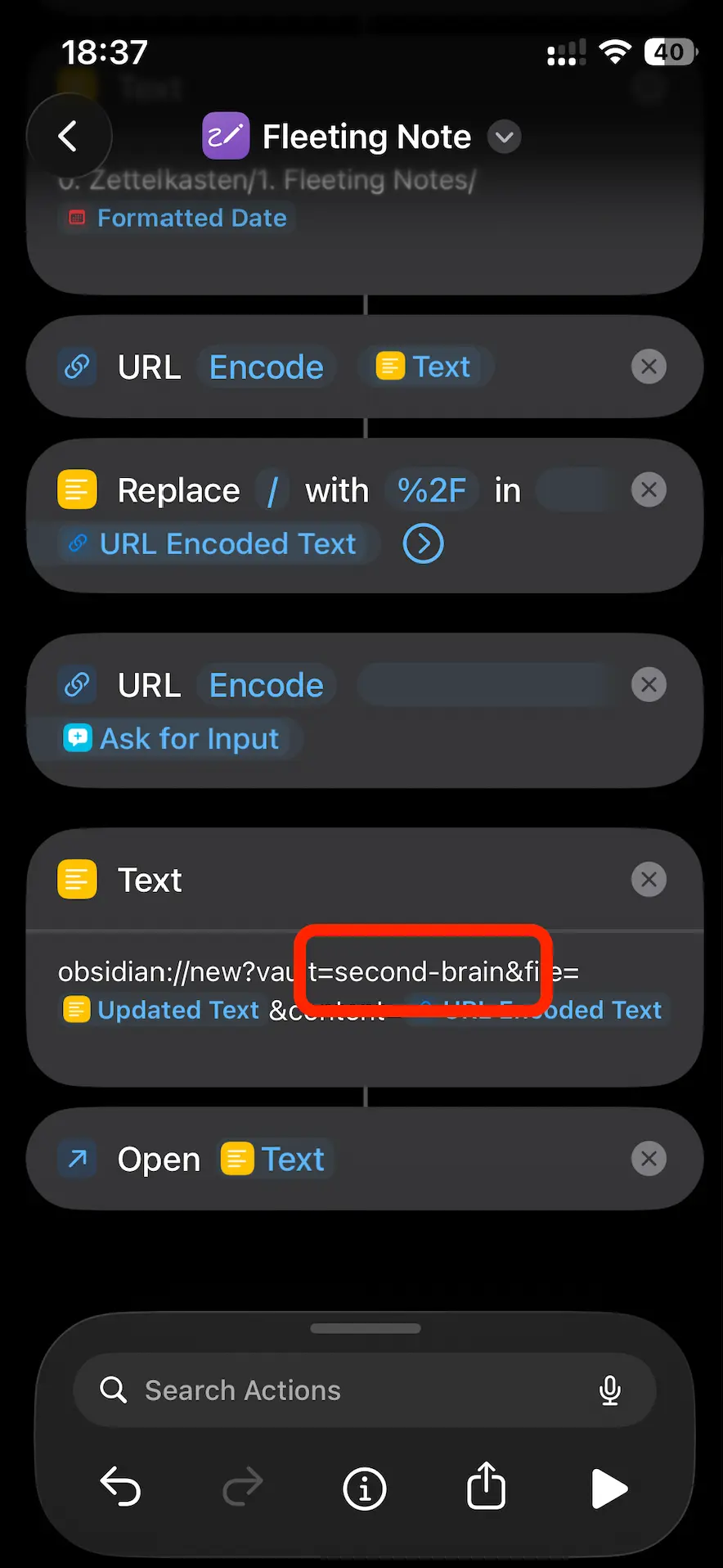
Replace the text inside the other red box with your current Obsidian vault name.
- You can find the vault name on Obsidian’s vault list screen, at the bottom left.
-
Now, in the Shortcuts app, tap the Play button in the bottom right to test it.
-
After testing, try using it in whatever way fits your lifestyle best!
Related
- 한국어판 - Korean version of this post
- 현재 나의 아이폰 잠금 화면 - How this shortcut sits on the lock screen
- 내가 사용하는 일간 노트 템플릿과 이유 - The daily note structure this shortcut feeds into
- 내가 옵시디언을 사용하는 방법 - Full Obsidian plugin and workflow setup
- 의지력 말고 시스템 - Automating habits through environment design